Chipotle
- 4.7
- Rating
- 10.00M
- Installs
- Free
- Price

 Analysis by App-foxy
I like the Chipotle app because it solves a very specific problem well: getting a Chipotle meal without standing in line or repeating my order at the counter. It is a free Food & Drink app from Chipotle Mexican Grill, built around pickup and delivery rather than general meal planning or restaurant discovery. That focus makes it easy to understand, but it also means its value depends heavily on whether I already want Chipotle.
After using it as a regular customer, I found the experience most useful when I knew roughly what I wanted and needed to place the order quickly. The menu is familiar, customization is central, and the app keeps the process tied to Chipotle locations. I would recommend it to someone who orders bowls, burritos, tacos, salads, or sides often enough to appreciate a saved digital routine. I would not choose it as my main food app if I wanted to compare several restaurants, search broadly for nearby cuisine, or manage meals from different chains in one place.
How the current Chipotle experience works
The first thing I noticed is that the app does not try to disguise its purpose. It is a direct ordering tool for Chipotle, not a social food platform. I select a restaurant, choose pickup or delivery where available, build the meal, review the order, and complete checkout. That straightforward path is one of its strengths because there are fewer unrelated screens competing for attention.
You May Also Like

 AccuWeather: Weather Radar
AccuWeather Review: A Quick, Clear Forecast for Everyday Decisions
For everyday plans, the best forecast is the one you can understand quickly. AccuWeather makes rain timing, radar, and local conditions easy to act on, with a few trade-offs.

 Hill Climb Racing
Why Hill Climb Racing Still Turns Crashes Into One More Run
A tiny car, a bumpy hill and one more upgrade: Hill Climb Racing keeps resurfacing because its simple chaos makes every near-miss feel personal.

 AliExpress - Shopping App
AliExpress Makes Global Shopping Feel Personal, but Shoppers Bear the Risk
AliExpress turns a global marketplace into a pocket-sized discovery engine. Its reach is useful, its shopping loop compelling, and its trade-offs easy to miss.

 Lords Mobile: Kingdom Wars
Lords Mobile Is a Kingdom-Building Routine, Not a Quick Match
A case-by-case verdict on the building, battles, device demands, and social commitments that make Lords Mobile rewarding for some players and exhausting for others.

 PDF Scanner app - TapScanner
TapScanner Makes Paperwork Easier to Capture, Check, and Share
TapScanner makes scanning with a phone feel less like a rescue operation and more like a dependable step in getting work done. Its capture tools are useful, though not flawless.

 Block Blast!
 Shows How Much a Puzzle Game Can Leave Out
A quiet grid game shows why puzzle players increasingly value instant clarity, repeatable skill and low-pressure play—and where the genre still needs to catch up.
More From Our News Desk
View All News


The menu works best for people who already understand Chipotle’s format. A bowl can be adjusted ingredient by ingredient, and the same approach applies to other main options. I can make a meal feel personal without having to explain every choice to an employee. For a first-time customer, though, the number of decisions can feel less guided than in a traditional restaurant menu. The app presents customization as the normal way to order, so it helps to know whether I want rice, beans, protein, toppings, and extras before I begin.
That design has an important practical benefit: I can slow down and check my choices before sending the order. At a busy counter, it is easy to forget a topping or misunderstand a request. On the phone, I can review the assembled meal visually and correct it before payment. The app is at its best when customization matters more than browsing.
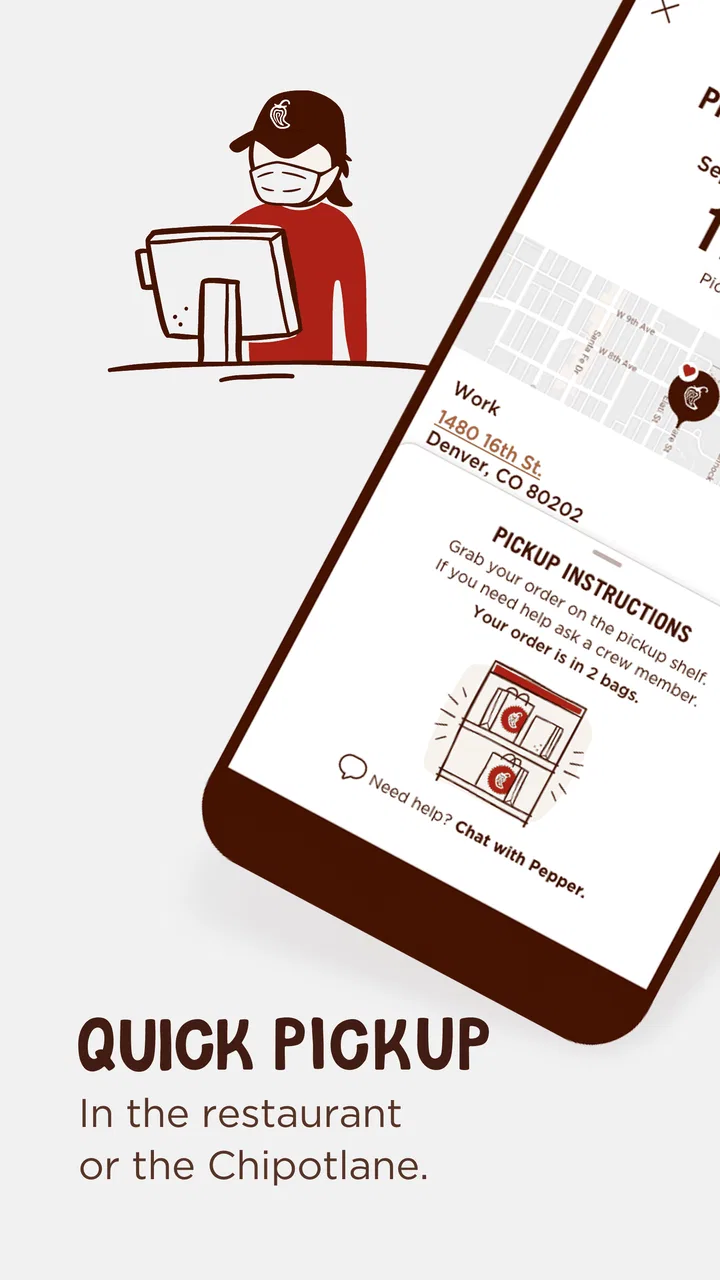
Pickup is the clearest use case for me. If I am leaving work and want food ready when I arrive, placing the order ahead of time can remove the most annoying part of the visit. I still need to allow for restaurant workload and travel time, but the app gives me a way to start the process before I reach the location. Delivery is more convenient when I cannot travel, although the total experience depends on the delivery service, distance, and local restaurant conditions rather than the app alone.
A realistic weekday routine
Imagine finishing a late shift with only a short break before heading home. I can open the app, choose the nearby Chipotle, build a bowl with the ingredients I normally order, and select pickup instead of joining the in-store queue. Before confirming, I check the selected location carefully, especially if there is more than one restaurant nearby. That small check matters because a perfectly prepared order at the wrong location is still a frustrating result.
For a family order, the app is useful in a different way. I can create separate meals with different ingredients instead of trying to remember several verbal requests. The trade-off is that a larger order takes longer to inspect. I would review each item individually before submitting, paying particular attention to extras, drinks, and side items. Digital ordering reduces communication mistakes, but it does not remove the need to proofread.
What the version history means in practice
The current version is 11.15.2, and the app has been available since June 19, 2013. That long presence suggests a product that has had time to mature rather than a newly launched ordering experiment. I notice that maturity in the basic flow: the app is organized around the recurring actions a Chipotle customer expects, including choosing a location, modifying a meal, and selecting fulfillment.
For existing users, a current release like this is less about learning an entirely new product and more about keeping the ordering routine dependable. I would update it before relying on it for a time-sensitive pickup, particularly if I have not opened it recently. App updates can affect how screens behave, how checkout loads, or how account details are handled, so staying current is sensible even when the visible changes seem small.
At the same time, I would not interpret the version number as a promise that every part of the experience has changed recently. The important evidence is the way the present build performs on the phone I am using: how quickly the menu loads, whether the chosen restaurant remains selected, and whether checkout is clear. Those are the details that affect a real order more than a release label by itself.
Who benefits most from using it
The strongest audience is the repeat Chipotle customer. If I order a similar bowl every week, entering it digitally can become much faster than rebuilding the order from memory at the counter. The app also suits people who dislike speaking over restaurant noise, customers who need to make precise ingredient choices, and anyone who wants to place a pickup order before arriving.
It can also help people who need a calmer ordering process. I can take time to inspect ingredients and adjust the meal without feeling rushed by a line behind me. That does not make the app a dietary-management tool, and I would still verify choices carefully when a specific food concern is important. The app lets me customize an order; it should not replace personal responsibility for checking what I am comfortable eating.
For occasional customers, the benefit is more limited. If I only visit Chipotle once every few months, the account and ordering steps may feel like extra work compared with walking in and asking for a meal. The app becomes more worthwhile when I value speed, repeatability, or a record of my digital ordering routine.
Where it compares well with other food options
Compared with a general delivery marketplace, the Chipotle app feels more focused. I am not distracted by restaurants I do not want, and I can work directly with Chipotle’s menu structure. That can make customization clearer than ordering the same meal through a third-party interface, where menu descriptions, options, or availability may be presented differently.
The downside is choice. A marketplace is better when I am undecided, comparing delivery fees, or ordering for a group with different restaurant preferences. The Chipotle app cannot solve that broader problem because it is designed around one restaurant brand. I would use the marketplace for discovery and comparison, but the official app for a deliberate Chipotle order.
Compared with ordering at the counter, the app gives me more privacy and time to review. The counter remains better when I need to ask a detailed question, clarify an unusual situation, or see what is available immediately. Digital ordering is not automatically faster if I have to make many unfamiliar choices or if the restaurant is experiencing a delay.
Small workflow tips that make a difference
My first tip is to decide on the restaurant before spending time building the meal. Location selection is not a minor opening step; it determines where the order is going. I would confirm the address or recognizable location details before customizing anything, especially when traveling or ordering near a workplace and home at the same time.
Second, I treat the final review as a separate stage rather than tapping through it casually. I check the main item, protein, toppings, extras, drinks, and fulfillment method. This is particularly important for multiple meals because a mistake in one item can be hidden inside an otherwise correct order. A thirty-second review is more valuable than rebuilding an order after it has been submitted.
Third, I use pickup when I can control my arrival time and delivery when convenience matters more than precision. Pickup gives me a clearer connection between the order and my own schedule, while delivery introduces another moving part. If I am already passing a restaurant, pickup is usually my preferred option; if I am home with no practical way to travel, delivery is the more sensible choice.
Finally, I avoid treating a saved routine as permission to stop checking. A repeat order is convenient, but my appetite, availability, and preferences can change. I would still inspect the meal before confirming, particularly when ordering for someone else.
Friction points I would want you to know about
The app’s narrow focus is both its advantage and its limitation. It does not help me compare Chipotle with another restaurant, plan a complete grocery-based meal, or find a dish based on a broad craving. If I open it without already wanting Chipotle, I may leave without learning anything useful about alternatives.
Customization can also become tiring. The freedom to adjust a meal is helpful, but a large order can involve many screens and decisions. Someone who prefers a few clearly defined combo meals may find a counter order more natural. The app assumes that ingredient-level control is a benefit, and for many customers it is, but not everyone wants to manage that much detail.
Timing is another area where I keep realistic expectations. The app can transmit an order and let me choose a fulfillment method, but it cannot make a busy restaurant prepare food instantly. I would avoid placing a pickup order at the last possible minute before an appointment. For an important schedule, I would leave extra time and be prepared for the possibility that the restaurant is handling a rush.
Delivery deserves the same caution. It is convenient, but it is not the best choice when I need exact control over arrival time or want to minimize every additional step between preparation and eating. Pickup is usually the better compromise when I can reach the restaurant easily.
Privacy, access, and everyday practicality
The app is free to download and has an Everyone content rating, so it is approachable for a broad audience. Its scale is also clear: it has passed ten million installs, with an average rating of 4.7 from roughly 498 thousand ratings and about 65 thousand written reviews. Those figures show that it is widely used, but they do not guarantee that every location or phone will deliver the same experience.
It supports a long-running ordering habit rather than a one-time novelty. The minimum operating system is Android 9, which is useful to know if I am using an older phone. On a compatible device, I would still keep enough storage and a reliable connection available before placing an order. A food app is most frustrating when it works during browsing but fails during the final checkout step.
I also prefer having a backup plan. If I am already outside the restaurant, ordering directly at the counter may be quicker than troubleshooting a slow connection. If the app does not show the location or option I expect, I would not repeatedly submit the same order; I would verify the order status first to avoid duplication.
What I would watch as the app evolves
For future updates, I would pay attention to improvements that reduce uncertainty rather than simply adding more screens. Clearer location selection, dependable order status, and a checkout flow that makes the final details easy to verify would have the greatest effect on my confidence. These are the parts that matter when I am hungry, in a hurry, or ordering for several people.
I would also watch how the app balances customization with simplicity. More options are not automatically better if they make a familiar order slower to build. The best evolution would preserve ingredient control while making repeat orders and larger family orders easier to review.
Existing users should judge updates by practical results: does the app open reliably, keep the selected restaurant clear, and make pickup or delivery choices understandable? New users should focus on whether the workflow matches their habits. If they want a dedicated Chipotle ordering tool, the current version is a sensible place to start. If they want a universal food marketplace, they should look elsewhere.
My final recommendation
Chipotle is a focused, useful ordering app rather than an all-purpose food companion. I appreciate that it puts meal customization and restaurant fulfillment in one direct path, and I find pickup especially convenient for planned visits. The experience is strongest for regular customers who know what they like and want to avoid repeating the same order aloud.
I would skip it if I rarely eat Chipotle, need broad restaurant comparison, or prefer asking staff questions before choosing ingredients. I would also avoid depending on delivery when timing is critical. For everyone else, the practical formula is simple: select the right location, build the meal carefully, review every item, and choose pickup when personal timing is more predictable than delivery.
That is why I see it as a worthwhile free app for Chipotle customers, with a clear purpose and a few predictable trade-offs. It does not need to do everything. It just needs to make a Chipotle order easier, and in my experience, it generally does.
FAQs for Chipotle
01What is the primary function of the Chipotle app?
The Chipotle app is designed to streamline the process of ordering food from Chipotle Mexican Grill. Users can customize their meals, select pickup or delivery options, and make payments directly through the app. It also offers features such as rewards, exclusive deals, and the ability to track orders in real-time.
02How does the Chipotle rewards program work within the app?
The Chipotle app includes a rewards program where users earn points for every purchase. These points can be redeemed for free menu items or special offers. The app keeps track of your points, and notifications alert you when you have enough for a reward. Joining is free, and it often includes bonus points promotions.
03Are there customization options available for orders placed through the app?
Yes, the Chipotle app allows for extensive customization of menu items. Users can select ingredients, adjust portion sizes, and even specify dietary preferences or restrictions. This flexibility ensures that each meal is tailored to individual tastes, similar to the in-store experience, with just a few taps.
04Is it possible to schedule orders for later pickup or delivery?
Absolutely. The Chipotle app lets users schedule orders for a later time or date, providing convenience for those who want to plan ahead. This feature ensures that your meal is ready when you need it, whether it's for a lunch break or a family dinner, minimizing wait times.
05What payment methods are accepted on the Chipotle app?
The Chipotle app accepts multiple payment methods, including major credit and debit cards, digital wallets like Apple Pay and Google Pay, and Chipotle gift cards. This variety ensures a seamless checkout process, allowing users to choose the most convenient payment option for their needs.
Pros
- User-friendly interface for quick orders.
- Customizable menu options to suit tastes.
- Real-time order tracking for convenience.
- Rewards program for frequent customers.
- Nutritional information readily available.
Cons
- Limited payment options can be restrictive.
- Occasional app crashes disrupt orders.
- Requires stable internet connection.
- Location services can drain battery.
- No delivery in some remote areas.

Chipotle
Gallery